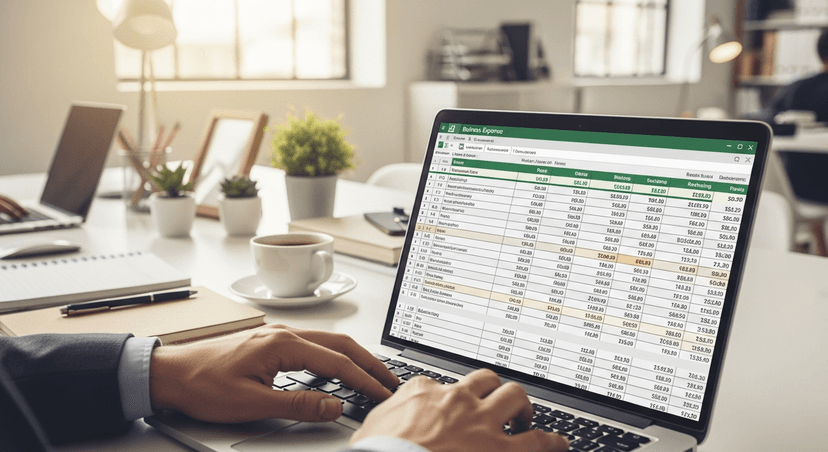
Financial Statement Template Excel: Free Download for Small Business
You've got receipts scattered across your desk, bank statements piling up, and tax season looming. Sound familiar? Most small business owners know they need to track their finances, but creating professional financial statements from scratch feels overwhelming.
Small business accounting software costs $15-50+ monthly. If you're just starting out, Excel templates can handle basic financial reporting until you're ready to invest in dedicated software.
Download the free Excel financial statement template — includes an income statement, balance sheet, and cash flow statement with auto-calculated totals and instructions. No email required.
What Financial Statements Do You Actually Need?
Keep it simple. Focus on these three essential reports:
Income Statement (Profit & Loss): Shows revenue minus expenses over a specific period. This tells you if you're making money.
Balance Sheet: Snapshot of assets, liabilities, and equity at a specific point in time. Think of it as your business's net worth.
Cash Flow Statement: Tracks money coming in and going out. You can be profitable on paper but still run out of cash.
Everything else is nice to have until you're ready to scale or seek funding.

Why Excel Still Works for Small Business
Spreadsheets aren't glamorous, but they're practical. Many small businesses start with Excel before upgrading to dedicated accounting software.
Excel doesn't charge monthly fees. It works offline. You control your data completely. Plus, when you eventually switch to accounting software, you'll understand your numbers better because you built them yourself.
Working directly with Excel templates helps you learn what each financial number represents. QuickBooks might automate everything, but do you actually know where your profit margins come from?
Essential Features Your Template Must Have
Your financial statement template isn't worth much if it's missing key components. Look for these features:
Automated calculations: Formulas should update totals when you change individual line items. No manual math.
Multiple time periods: Compare this month to last month, or this year to last year. Trends matter more than single data points.
Chart of accounts structure: Categories should match standard accounting practices. This makes life easier if you hire a bookkeeper later.
Error checking: Built-in formulas that flag when your balance sheet doesn't balance or your cash flow doesn't add up.
Skip templates that look pretty but lack substance. You need function over form.

How to Customize Your Template
Customize your template for your specific business needs. A restaurant needs food cost tracking, while a consulting firm needs travel expense categories. A retail store needs inventory sections.
Add columns for budget vs actual if you're planning ahead. Include a notes section for unusual transactions. Create separate tabs for different business units or locations if needed.
The goal isn't perfection. It's accuracy for your specific situation.
Common Excel Template Mistakes to Avoid
You'll see plenty of templates online that look great but fall apart when you actually use them. Watch out for these red flags:
Broken formulas: Test every calculation before trusting it with real data. One wrong cell reference can throw off everything.
Missing backup: Excel files corrupt. Save copies. Use cloud storage. Don't learn this lesson the hard way.
Overly complex formatting: Fancy colors and borders don't help your analysis. They just make the file slower and harder to modify.
No version control: Name your files with dates. "Financial_Statements_2024_January_v2" beats "Final_Version_NEW_UPDATED."
This template needs to work at 2 AM when you're stressed about cash flow. Keep it simple.

Related Guides
Getting Started with Your Template
Download the free template here if you haven't already, then spend 30 minutes understanding how it works before dumping data into it.
Trace through the formulas. See how the income statement feeds into the balance sheet. Check how the cash flow statement connects to both.
Start with one month of data. Get comfortable with the process before loading in historical information. It's easier to fix mistakes early.
Set a regular schedule. Update your statements monthly, not whenever you remember. Consistent data beats perfect data every time.
Ready to level up your financial planning? PlanArmory's financial projections tool can help you turn these statements into forward-looking forecasts. Or if you need a complete business plan that includes professional financial statements, try our business plan generator to create everything in under 60 seconds.